
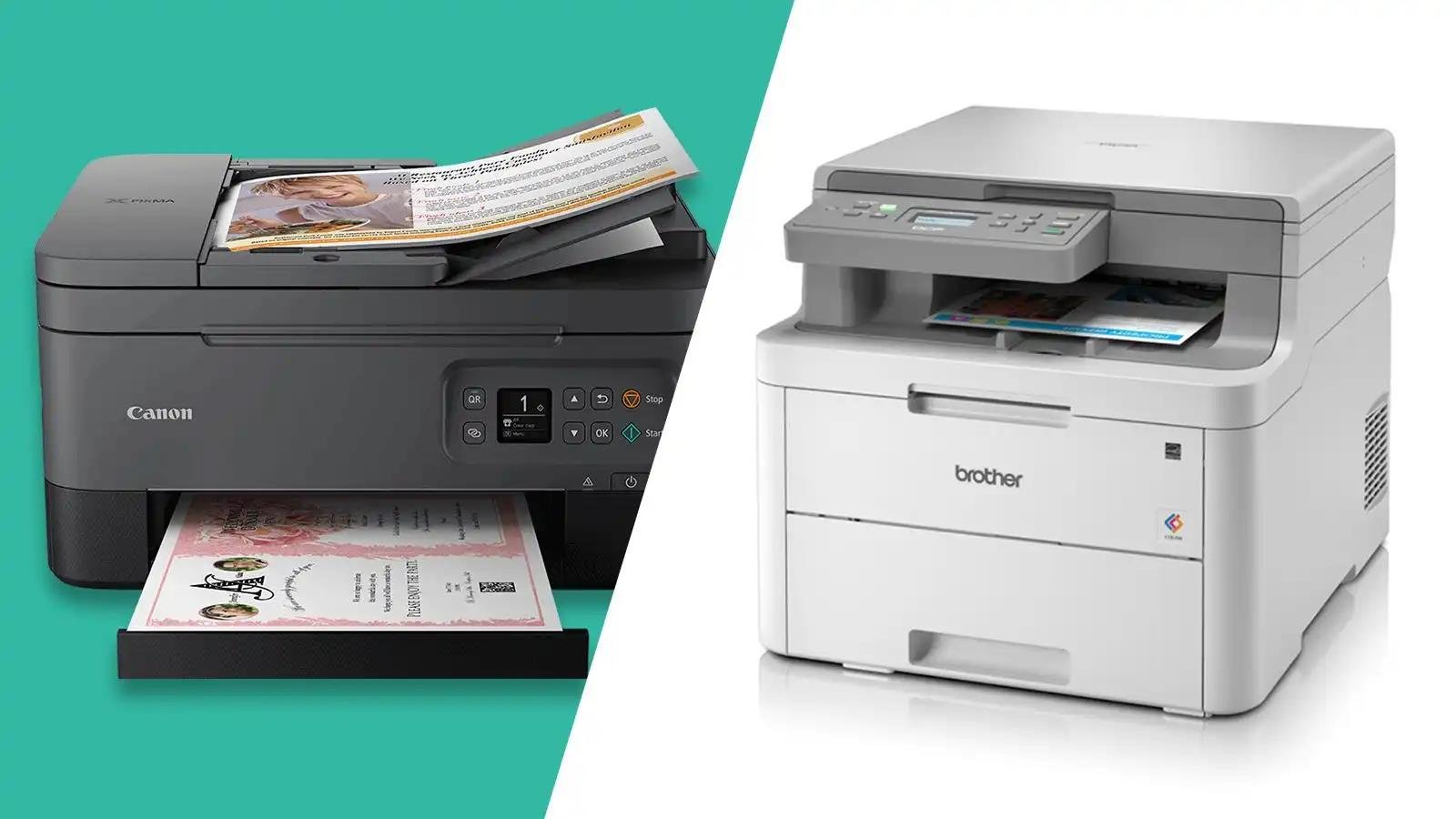
Printer Manufacturer in China: Suppliers, Specs & OEM Guide
Choose a printer manufacturer in China by matching the printing method, media, software and service requirements to your buyers’ actual use. A low unit price is not useful if the printer cannot run your label files, connect to your POS system or obtain replacement consumables in your market.
HunterSourcing is a China sourcing agent helping importers compare suppliers, coordinate samples and follow up orders. Start with your application, quantity and destination; then agree the models, evidence, fees and acceptance steps your project needs.
Turn a supplier list into a buying decision
- Your briefApplication, quantity and destination
- Comparable offerSame configuration, full costs and evidence gaps
- Approved sampleRecorded tests and buyer sign-off
- Controlled releaseLot inspection and buyer decision
Evidence key: manufacturer links describe their published products and terms; the worksheets below are blank planning tools. Supplier suitability and project deliverables must be confirmed in the agreed scope.
What to ask your sourcing agent to deliver
Agree these outputs and the responsible contact before paying for work. The editable templates show the information to retain; completed records should contain the evidence and approvals from your own order.
| Deliverable | What the buyer can review | Decision it supports |
|---|---|---|
| Supplier comparison | Legal entity, proposed model, production evidence, dated source / quote and open questions | Which candidates deserve a sample or factory assessment |
| Configuration and cost worksheet | Same specification at agreed quantity tiers; supplier costs and separately disclosed sourcing service fee | Whether offers cover the same work and what the full budget excludes |
| Sample approval and inspection record | Test files, software / media revisions, agreed acceptance criteria, actual results and buyer approval | Which configuration can proceed to bulk and how the lot will be checked |
| Corrective-action / RMA record | Affected serials or quantity, evidence, action owner, fee / freight responsibility and buyer decision | Whether each affected portion is released, corrected, replaced or rejected |
1. Define the printer before you compare factories
“Wireless” describes a connection, not a printing technology. “All-in-one” describes functions. Start with what must be printed, on which material, at what volume and from which software. Otherwise, a supplier shortlist mixes products that cannot substitute for each other.
| Category | Typical buyer requirement | Specify before requesting quotes | Common mismatch |
|---|---|---|---|
| Office laser / LED | Document printing for offices, schools or distribution | Colour or monochrome; paper format; duplex; recommended volume; cartridge and drum availability | Confusing a peak duty-cycle number with a sustainable recommended workload |
| Office inkjet / ink tank | Colour documents or images on approved paper | Ink system; paper compatibility; print quality; cleaning and maintenance; replacement ink | Assuming cheap hardware means low total cost or that every photo paper is supported |
| Direct thermal label | Shipping labels or short-life identification on compatible thermal media | Printable width; media size; gap / black-mark sensing; driver and label workflow | A label fits the feed path but the image exceeds the printable width |
| Thermal transfer label | Labels requiring a tested media-and-ribbon combination | Ribbon type and width; label surface; environmental exposure; required barcode quality | Calling a label durable without testing the actual ribbon, adhesive and exposure |
| Thermal receipt / POS | Receipts integrated with a cash register, kiosk or POS application | Paper width; cutter; interface; command set; cash-drawer requirements | Selecting “Bluetooth” without proving compatibility with the buyer’s application |
| Portable document / photo | Field documents or application-specific photo output | Consumables; battery where fitted; phone app; paper size and retention needs | Treating thermal document output as equivalent to ordinary inkjet output |
3D printers build objects rather than print documents or labels. Use our separate 3D printer sourcing guide for that project. UV flatbed, textile, flexographic and production printing equipment also need a different supplier and acceptance specification; they are outside this desktop-printer comparison.
2. Build a shortlist from manufacturers’ published capabilities
Use the official links to check product scope, then verify the contracting entity, production site and quoted model. These research candidates are summarized from their official company and product information.
| Manufacturer / official source | Publicly presented scope | Evidence to request for your project |
|---|---|---|
| Pantum | Office printers and consumables; official support and driver downloads | Exact regional SKU; consumable codes; authorized distribution terms; service and current driver support |
| HPRT / Hanin | Thermal and other printer categories; OEM/ODM services | Model-level customization scope, sample availability and a controlled specification |
| Xprinter | Receipt and label printing products | Correct interface version, firmware / driver package, spare parts and current datasheet |
| HOIN | Thermal receipt, label, portable and kiosk printers | Model-specific reports, application integration demo and proposed production site |
| ORZN | Thermal POS, embedded, panel and portable printing solutions | Mounting drawing, control-board interface, firmware scope and integration test |
| ZYWELL | POS and thermal printing; OEM/ODM presentation | Revision-controlled hardware and software offer; logo / packaging approval; after-sales responsibilities |
| AiYin | Thermal labels and related software solutions | Media compatibility, app / SDK terms, data handling and supported operating systems |
| Yunli | Thermal printer manufacturing and customization presentation | Legal manufacturer, assembly / test process, actual sample and export documentation |
Match the candidate to your application
| Your project | Candidates to investigate | Evidence that decides the shortlist |
|---|---|---|
| Shipping labels | HPRT or Xprinter label-printer ranges; AiYin where its media / software fit | Your label file, printable width, gap / black-mark media, platform / driver and actual barcode test |
| POS receipts | HPRT, Xprinter, HOIN or ZYWELL receipt-printer ranges | Your POS version, command set, paper width, cutter / cash-drawer needs and connection-recovery test |
| Office documents | Pantum office-printer range; compare the exact regional SKU | Recommended workload, duplex requirements, consumable codes, local service and authorized resale terms |
| Private-label printer | HPRT or ZYWELL published OEM/ODM scope; screen the exact offered model | Permitted logo / packaging changes, firmware ownership, tooling fees, brand rights and final-model documentation |
| Embedded / kiosk integration | ORZN or HOIN embedded / kiosk offerings | Mounting drawing, board interface, power budget, firmware scope and integration sample |
This is a screening route based on the official product scopes linked above, not a ranking. A candidate moves forward only after the application and proposed configuration are checked.
For branded products, confirm whether the offer is an authorized resale arrangement. For private-label printers, confirm what the supplier can actually change. Printing your logo on a housing, modifying firmware and developing a new mechanism are different projects with different costs, risks and schedules. Do not assume a familiar office-printer brand is available for private labeling.
3. Compare the same model, configuration and test conditions
A model name is not a complete purchase specification. Options, firmware revisions, power supplies and regional packaging can differ. The examples below show how to record comparable technical information; they are not an endorsement or a statement that the products are interchangeable.
| Model and source | Printing and throughput | Print width / media | Configuration checks |
|---|---|---|---|
| HPRT SL42 | Direct thermal; 203 dpi; maximum 150 mm/s | Maximum print width 108 mm; media width 50–118 mm | Official page lists USB and TSPL; confirm current driver and interface variant |
| Xprinter XP-420B | Direct thermal; 203 dpi; maximum 152 mm/s | Maximum print width 108 mm; product page lists media width 25.4–115 mm | Standard USB; optional connections are version-dependent. Match the quotation to the exact datasheet |
| Pantum P2500 series brochure | Monochrome laser; up to 22 ppm A4 / 23 ppm Letter | Office document printer; compare paper handling separately from label-printer width | Wi-Fi is marked for P2500W in this brochure; confirm the regional model and current support |
Source check: 25 October 2026. Values are manufacturers’ published specifications, not our measurements. “Maximum” speed does not promise the same throughput for every image, media or connection. Manufacturer pages can disagree with older brochures; ask the supplier to sign off the exact revision supplied with your order.
| Field | What the buyer must define | Evidence to retain |
|---|---|---|
| Output and consumables | Application; print method; resolution; printable area; approved paper / label / ribbon / ink / toner | Actual print files, approved output and consumable part numbers |
| Hardware and materials | Housing material / grade where required; colour; dimensions; net weight; ports; power rating and plug | Drawing, sample photos, rating-label artwork and approved bill of materials scope |
| Software | OS and version; CPU architecture if relevant; command language; driver / SDK; licensing; offline operation | Installer versions, integration demo and agreed update responsibilities |
| Retail and export packing | Printer and accessory list; manual languages; unit box; protection; units per carton; carton dimensions / gross weight | Approved artwork, packing photos and agreed transport-test specification |
| Paper or label media | Size, thickness or GSM as applicable; roll diameter; core; gap / black mark; adhesive and exposure needs | Media sample and manufacturer compatibility confirmation |
| Traceability | Model and serial format; batch / firmware version; accessory identification; replacement parts | Serial list, production revision and packing list |
Prove compatibility with a real print job
Send your actual shipping label, receipt format or office document. Test it from the operating system and application your customer uses, including non-English characters where needed. Check barcode readability with the intended scanner; a phone camera successfully reading one code does not establish a specified barcode-quality grade.
Distinguish advertised compatibility from acceptance
Ask for the exact interface and software combination in writing. A driver download page can demonstrate that software is offered; it cannot prove your application, OS build and printer firmware will work together. Pantum’s official driver centre is one example of where to check supported files before evaluating a unit.
Keep the approved configuration reproducible
Record the model suffix, interface board, firmware, driver version, power supply and consumables used in the sample trial. Require approval before substitutions. Retest the affected functions after a change rather than relying on the appearance of the enclosure.
Keep one approved configuration through the order
- Reference packSample ID, print files, media and software versions
- Written approvalResults, open issues, approver and date
- Bulk checkMatch the lot; approve and retest any substitution
This is a proposed control workflow, not a photograph or record of a completed printer inspection.
4. Compare MOQ, price, customization and lead time honestly
Public prices and terms cannot be transferred from one manufacturer or model to every China printer order. The published HPRT reference below gives useful questions to ask; it is not a HunterSourcing quotation, a promised delivery date or a commercial offer from another supplier.
| Item | Manufacturer’s published reference | Confirm before placing an order |
|---|---|---|
| MOQ | HPRT states a standard 100 units; trial orders and OEM/ODM requirements may differ | Exact model, branding, mixed-SKU allowance and negotiated order quantity |
| Samples | HPRT says selected models may have 1–2 free samples, with shipping paid by the customer | Model eligibility, stock, customization charges and dispatch date; do not assume samples are free |
| Lead time | HPRT describes stock as immediate / short lead time and non-stock as approximately 3–45 days | Start event, sample approval, component readiness, production slot, holiday impact and dispatch date |
| Warranty | HPRT lists 12 months for finished printers and 6 months for their thermal printheads | Applicable product, exclusions, freight, return process and written remedy |
| FOB / other price basis | Request a current factory quotation for the selected model and configuration | Named place or port, currency, quantity tier, option costs and quote expiry |
| Payment | No universal deposit or balance percentage is established here | T/T payee, deposit, balance milestone, inspection condition and cancellation terms |
Source: HPRT OEM/ODM FAQ, checked 25 October 2026. Custom development and approval work can extend the quoted schedule. The common “3–7 days sampling” or “15–45 days bulk” ranges should not be promised unless the chosen supplier confirms them for the specific configuration.
Request quantity tiers and a complete cost breakdown
Request the same configuration at 100, 500 and 1,000 units where feasible. These are suggested RFQ quantities, not established price breaks or an industry MOQ. Each offer should state the model revision, currency, named delivery place, issue date, expiry, actual MOQ and payment / production milestones. Request EXW or FCA where appropriate, or the named port if FOB is offered.
| Cost line | Information to obtain | How to compare |
|---|---|---|
| Hardware and options | Price for identical printer, power supply, cable, interface and accessories | Compare the same quantity, currency and delivery basis |
| Consumables | Landed cartridge / ink / ribbon / label price and relevant test basis | Calculate cost per accepted page or label under the same workload |
| Engineering and packaging | One-off development / tooling charges; recurring logo and packing costs | Allocate one-off charges over the committed order, not an assumed future volume |
| Sourcing agent service fee | HunterSourcing fee, fixed or percentage basis, included tasks, exclusions, minimum charge and applicable tax | Show the fee separately; disclose any supplier commission or rebate and identify whether inspection / reinspection is included |
| Quality and compliance | Agreed sample tests, inspection scope and required documentation | Show inclusions and exclusions instead of comparing unlike fees |
| Logistics and import | Carton count, dimensions, gross weight, route and destination charges | Compare a written forwarder quotation and importer’s tax treatment |
| Service and spares | Printhead / roller / cutter / board costs; repair process; freight responsibility | Compare service coverage and available parts against the customer’s support needs |
Total acquisition cost = order hardware and options + development / tooling + packing + samples / verification + sourcing service fee + freight / insurance + applicable import costs. Add only charges not already included elsewhere. For total ownership cost, add consumables and service / spares over a stated operating period. Consumable cost per accepted output = consumables used ÷ accepted pages or labels. State currency, quantity, output assumptions and recoverable-tax treatment before comparing totals.
Download the printer buying worksheets
Four blank files open in Excel or other spreadsheet software. Use them to brief the project and retain evidence; empty price and result cells are deliberately left for dated supplier offers and actual tests.
- Supplier comparison worksheet (editable CSV)
- Quotation and full-cost worksheet (editable CSV)
- Sample approval and inspection record (editable CSV)
- Corrective-action and RMA record (editable CSV)
The original printer RFQ checklist (CSV) is also available for the initial brief. Commercial quotations and completed customer cases are not supplied by these templates.
5. Verify the supplier and approve the sample before bulk
A useful factory assessment examines the entity and process behind your quoted product. Request the business licence, production address, proposed subcontracting, model ownership and who controls firmware, test equipment and after-sales support. Ask to see the relevant assembly and test steps, not only a reception area or unrelated production line.
- 1. Confirm legal entity and production scope
- 2. Freeze specification and application files
- 3. Test and approve the exact configuration
- 4. Verify the bulk lot before buyer release
| Record / check | Agree before testing | Keep the actual evidence |
|---|---|---|
| Sample identity | Model suffix, serial, hardware / firmware, power supply, accessories and approved reference location | Sample ID, dated configuration sheet, label photos and retained master-sample reference |
| Files, media and environment | Buyer file name / version or hash; media / ribbon / ink / toner; OS, application, driver and connection | Exact versions and settings; print-output scan or file; tester and date |
| Test size and duration | Trial quantity, operating period, environment, speed / density setting and permitted interruptions | Actual quantity / duration, conditions, interruptions and observed faults |
| Print and media feed | Alignment tolerance, missing-dot / jam criteria, sensing and barcode method / grade where required | Measured / observed results, scanner or test equipment, failed outputs and evidence references |
| Application and recovery | Required characters, POS commands, cutter / cash drawer if applicable; restart / reconnection procedure | Pass / fail for each agreed function, error logs or demonstration video |
| Electrical, documentation and packing | Competent test-provider scope where needed; exact power / radio version; approved artwork and transport-test method | Matching documentation, provider report if commissioned, accessory / carton photos and packing results |
| Decision and change control | Who signs, how exceptions are accepted, which substitutions require approval and retesting | Buyer approval / rejection, unresolved issues, corrective actions and approved revision / date |
| Bulk lot verification | Lot identification, sample selection, defect classes, sampling standard / level and AQL if agreed | Serial / carton selection, result counts, defect photos and buyer release decision by affected quantity |
Agree the limits before the trial. Fill the acceptance worksheet with project-specific targets; its test quantity, duration and tolerances are not pre-filled industry standards. Record each result as pass, fail or not tested. A not-tested function remains open. Attach the approved record to the purchase specification and recheck the affected functions if the supplier changes the interface, firmware, power supply, media or other controlled item.
Agree lot size, defect classifications, sampling standard, inspection level and AQL before the visit. Do not select an AQL simply to make a result pass, or describe sampling as a guarantee for every unit. Our China quality inspection service explains how checklist evidence supports release and corrective-action decisions.
For defects affecting a limited part of the lot, the buyer may authorize release of an identified acceptable portion in writing while the supplier corrects the remainder for another check. For widespread failures, report findings to the buyer and arrange supplier correction and reinspection as instructed. Keep the task open until the buyer accepts or rejects / abandons every affected portion within the agreed scope; a partial dispatch does not close unresolved goods.
6. Confirm model-specific documentation and delivery responsibilities
Ask for evidence matching the model, brand, radio module and power supply actually ordered. A manufacturer’s general certificate page does not establish that every configuration meets your destination’s requirements. An ISO 9001 management-system certificate is different from product-conformity evidence.
For an EU-bound project, the European Union’s CE marking guidance explains the manufacturer’s responsibility for applicable requirements, technical documentation and declaration of conformity. Confirm the relevant EMC, electrical, radio and restricted-substance obligations with the responsible importer and qualified compliance provider. Do not use an unrelated “CE certificate” as a substitute for the applicable evidence.
For other destinations, ask a qualified compliance provider to identify the requirements for the exact printer, power supply, radio and intended use. Retain the matching model references and document versions. For a battery-powered unit, give the forwarder the battery specifications and requested transport documents before booking.
| Topic | Write into the agreed project terms |
|---|---|
| Freight and lead time | Choose courier / air, LCL or FCL using carton data and a dated route quote; distinguish production completion, pickup, transit, customs and final delivery |
| Warehouse / FBA delivery | Confirm receiving location, labels, carton and pallet rules, appointment and importer responsibilities; do not assume a printer is ready for every fulfilment programme |
| Payment and release | Match payee to the contracting entity; record deposit and balance triggers, inspection rights and who authorizes shipment |
| Warranty and remedies | Define covered parts, exclusions, evidence, repair / replacement procedure, return freight and remedy deadline |
| Replenishment and changes | Confirm spare-parts availability, consumable supply, model-change notices and repeat-order configuration |
| Documentation | Retain commercial invoice, packing list, transport documents and product-specific files agreed with the importer and forwarder |
Define who handles a fault after delivery
Agree the support route with the supplier and sourcing agent before dispatch, including the warranty start event, covered components, exclusions and target response / resolution times. HunterSourcing’s coordination scope and charges are separate from the manufacturer’s warranty.
| Stage | Buyer / operator record | Supplier and agent action to agree |
|---|---|---|
| 1. Report | Order, serial, affected quantity, fault description, print sample, logs / video and test configuration | Named contact records the issue and acknowledges it within the project’s agreed time |
| 2. Diagnose | Compare the fault with the approved sample and document installation / consumables used | Supplier proposes remote checks and identifies likely hardware, software, wear-part or operating cause; agent coordinates evidence if in scope |
| 3. Agree remedy and cost | Approve parts, repair, replacement or credit with an issue reference | Confirm coverage, part availability, labour, outbound / return freight, duties, payer and deadline in writing before shipping anything |
| 4. Verify correction | Retest against the original failed function and retain the result | Record replacement serial / part and remaining issues; escalate unresolved findings to the buyer |
| 5. Close | Buyer confirms acceptance or the agreed rejection / other final disposition | Retain the decision, shipment / refund records where relevant and sign-off; keep unresolved affected units open |
Check printhead, cutter, roller, board, battery and accessory terms individually. The HPRT reference above illustrates that printer and printhead periods can differ; its terms are a supplier reference, not a HunterSourcing warranty or a promise for another model. Confirm whether a replacement part changes the remaining coverage period.
7. Three buyer scenarios: test the risk that matters
The following are illustrative buying situations, not claimed customer cases or achieved results.
A label distributor comparing 203 dpi units
Two models both list a 108 mm maximum print width. That does not establish equal results. Run the same label, barcode, media and application on both, then compare alignment, scan performance, feed recovery, driver deployment and replacement printhead terms. Choose against the recorded acceptance criteria rather than the faster maximum-speed number alone.
A retailer rolling out a POS printer
Use the actual POS software, receipt layout and required connection. Test characters, cutter commands, cash-drawer integration where required, connection recovery and remote installation. Reserve payment / release milestones around the agreed acceptance evidence. A receipt from a supplier’s demo app is not a test of your production system.
A brand requesting its own printer packaging
Separate artwork-only changes from firmware, interface or enclosure development. Approve the manual languages, plug, rating label, brand rights, box contents and carton protection. Confirm who owns and maintains software and which conformity files cover the final branded configuration before approving bulk production.
Close the issue against the buyer’s decision
- IdentifySeparate affected serials and quantities
- Correct and verifyRecord supplier action, costs and retest evidence
- Buyer decisionAccept, authorize release, or reject / abandon the affected goods
The corrective-action record keeps partial shipments and unresolved quantities separate so a dispatch does not silently close the remaining issue.
Original article videos: general printer background
These existing videos cover printer technology and consumer selection. Use them as background for product selection and supplier questions. Playback availability depends on YouTube and the viewer’s location.
Printer manufacturer FAQs
How do I choose a printer manufacturer in China for my application?
Define what your customers will print: shipping labels, receipts, documents or another application. Compare suppliers on the actual print method, media size, connectivity, operating systems, duty requirements and after-sales capability. Verify the legal seller and production site, request a representative sample and evaluate the proposed model before placing a bulk order.
Should I choose a thermal, thermal-transfer, inkjet or laser printer?
Choose according to the task, media, expected print life and running costs. Direct thermal uses heat-sensitive media; thermal transfer uses a ribbon with compatible media. Inkjet and laser models use different consumables and may suit different document or image workflows. Ask suppliers to demonstrate the specific output and application rather than assuming one method fits every job.
Will the printer work with my shipping platform, computer or phone?
Provide the exact platform, operating-system version, device and connection method. Request the current driver, app or SDK documentation and test actual label files and workflows on the buyer’s devices. Bluetooth support alone does not establish support for every phone, tablet, computer or marketplace.
What label sizes and media should I check before ordering?
Confirm the maximum printable width as well as the supported media width, thickness, roll diameter and core, gap or black-mark sensing, and whether fanfold media is accepted. Test the label format used by the destination carrier. Ask whether third-party media is supported or proprietary rolls are required.
Is 203 dpi enough for shipping labels and barcodes?
Some shipping workflows accept 203 dpi, but the final choice depends on label dimensions, barcode density, print quality and the carrier’s requirements. Test the buyer’s actual barcode and label with the intended media and scanner; higher resolution alone does not guarantee a readable label.
What causes faded, crooked or skipped thermal labels?
Possible causes include unsuitable media, incorrect label calibration, print-density settings, dirty or worn printheads, and software or driver configuration. Test the actual sample and consumables, follow the manufacturer’s maintenance instructions, and agree how defects will be diagnosed rather than attributing every issue to one cause.
What is the MOQ for OEM or private-label printers?
Minimums vary with the model and the changes requested. Ask separately about stock units, logo and packaging changes, software or firmware customization and new tooling. Request written quantities, development fees, ownership, approval samples and lead times for the exact configuration.
What tests should buyers perform on a printer sample before bulk production?
Run the buyer’s actual files, media and device configurations. Check print clarity and barcode readability, paper feeding, repeat printing, connectivity, setup instructions and packaging. Agree a documented acceptance plan for production inspection, model-specific compliance evidence and any reliability tests appropriate to the destination and use.
How do I compare printer prices and total operating costs?
Compare quotations for the same model, quantity, power adapter, interface, accessories, packaging and delivery term. Separately identify development and sample costs, compatible labels or ink, printhead replacement, software fees, freight and warranty support. Confirm costs and availability in writing; a lower unit price may not mean a lower lifetime cost.
What warranty, replacement parts and support should I request?
Agree the warranty period, exclusions, claims procedure and who pays shipping before ordering. Ask about printhead and other spare-part availability, repair instructions, driver and app updates, replacement turnaround and support language. Confirm the service scope and responsibilities for the specific model and order.
Get a printer sourcing quote and sample plan
Start with what you need to print, the planned quantity and the destination country. Add a label / receipt / document file if available. We can then discuss candidate models, a comparable RFQ and sample checks, with the service scope and fee confirmed before work starts.
WhatsApp / WeChat: +86 15824350182. Email: info@huntersourcing.com. Enquiry details are used to assess and respond to your request; see our privacy policy. Ask your named project contact to confirm the response and follow-up schedule.
Related Articles
 Top Electronics Manufacturers in China: OEM & B2B Solutions
Compare electronics manufacturing scope, OEM questions and quality-control considerations when building a supplier shortlist.
 Electronic Equipment Suppliers Guide
Review electronic-equipment categories, supplier selection and the documentation to discuss before importing.
 Shenzhen Electronics Market: Huaqiangbei Wholesale Guide
Understand Huaqiangbei market sourcing, seller checks and the difference between a market quotation and a verified factory.
Related Post

Furniture is a must for an office or a home. It is available at varying price points as Read more
Wood is extensively used in making furniture around the world. Wood can be molded in any shape or Read more

China offers many types of sofas at an affordable price. When it comes to Chinese Sofa Manufacturer, This Read more
Get Free Quote

Contact Us Get Free Quote!
* Please kindly fill out the form for inquiry
* we will reply to your inquiry within 24hours